Files and folders
Drag onto the window or the menu bar / tray icon, right-click in Finder, Explorer or Files, or pick them in the app. Folders keep their structure. A short text or the clipboard works too.
Send files and folders straight to another computer on the same network. No account, no cloud, no size limit.
Free to send and receive · Pro €9.99 once · All versions
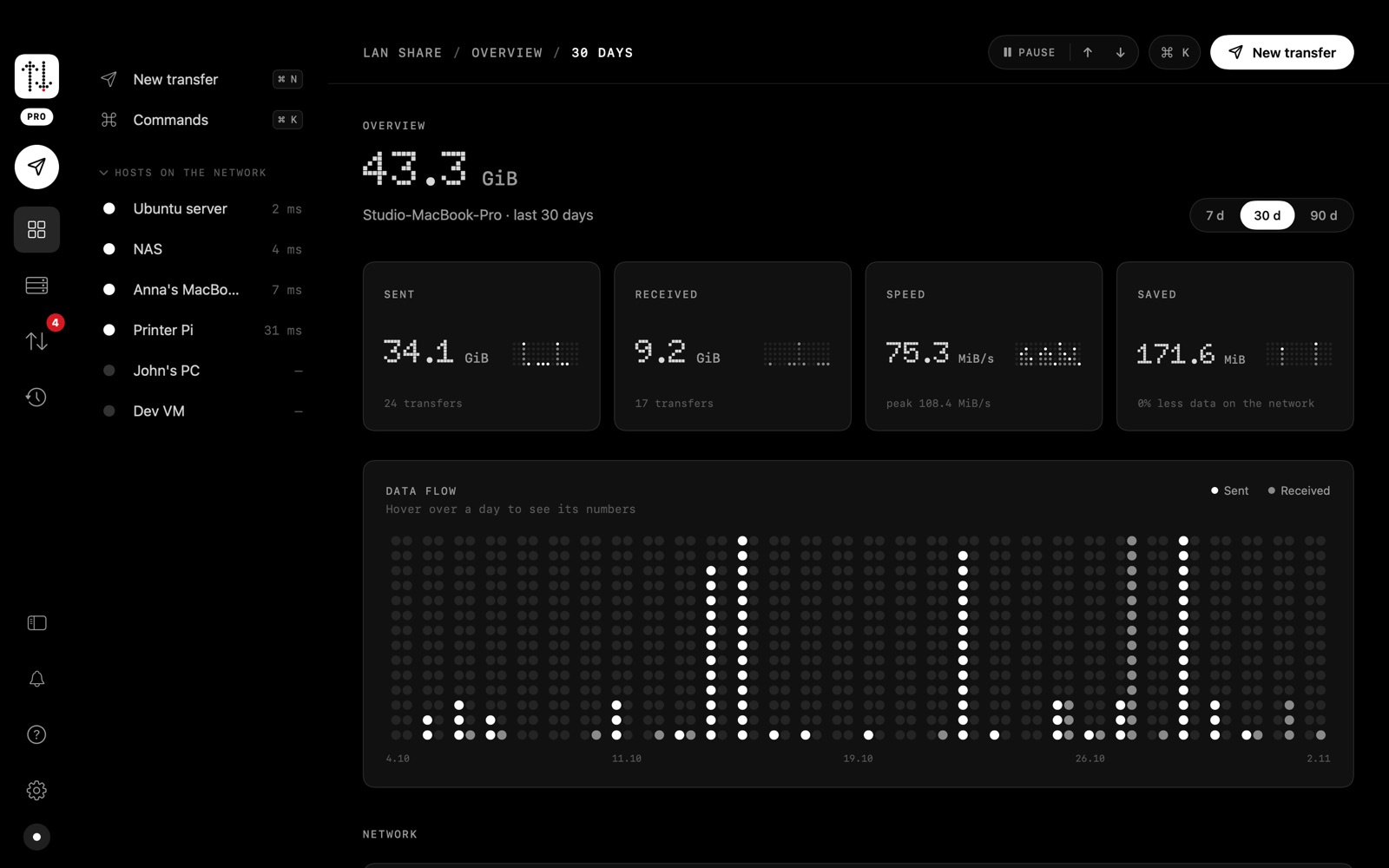
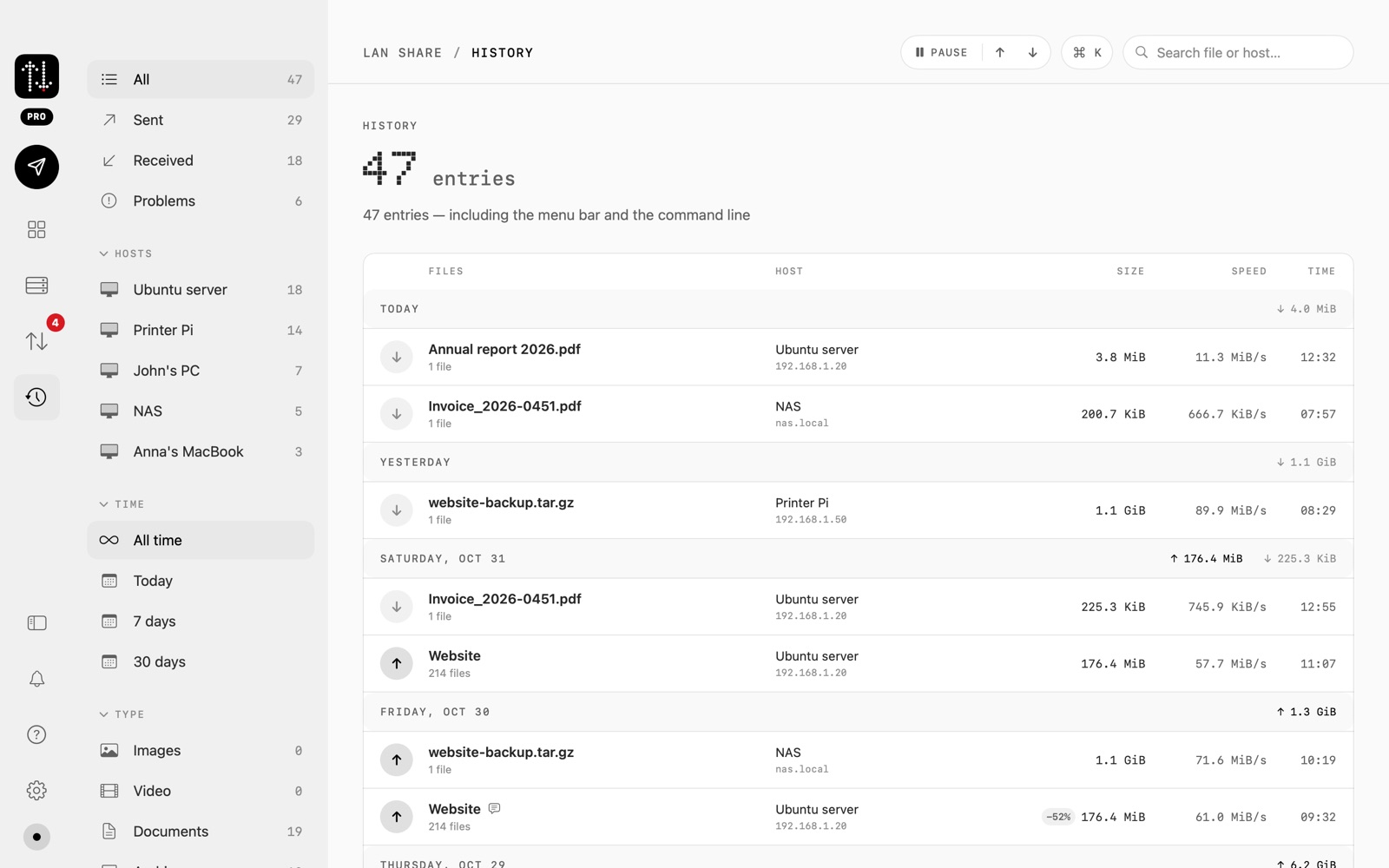
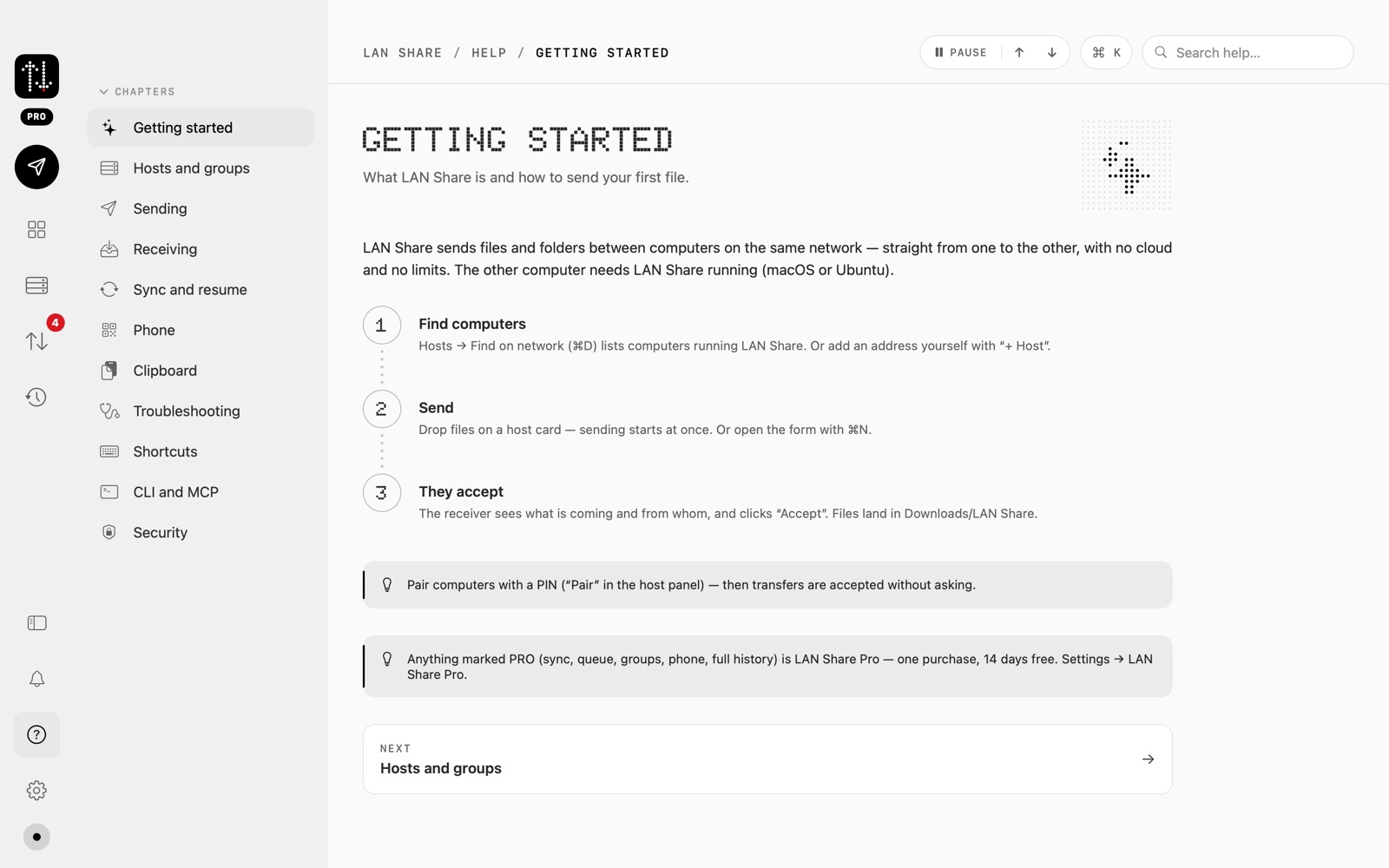
The macOS app, with demo data. The Windows and Linux apps follow the same design.
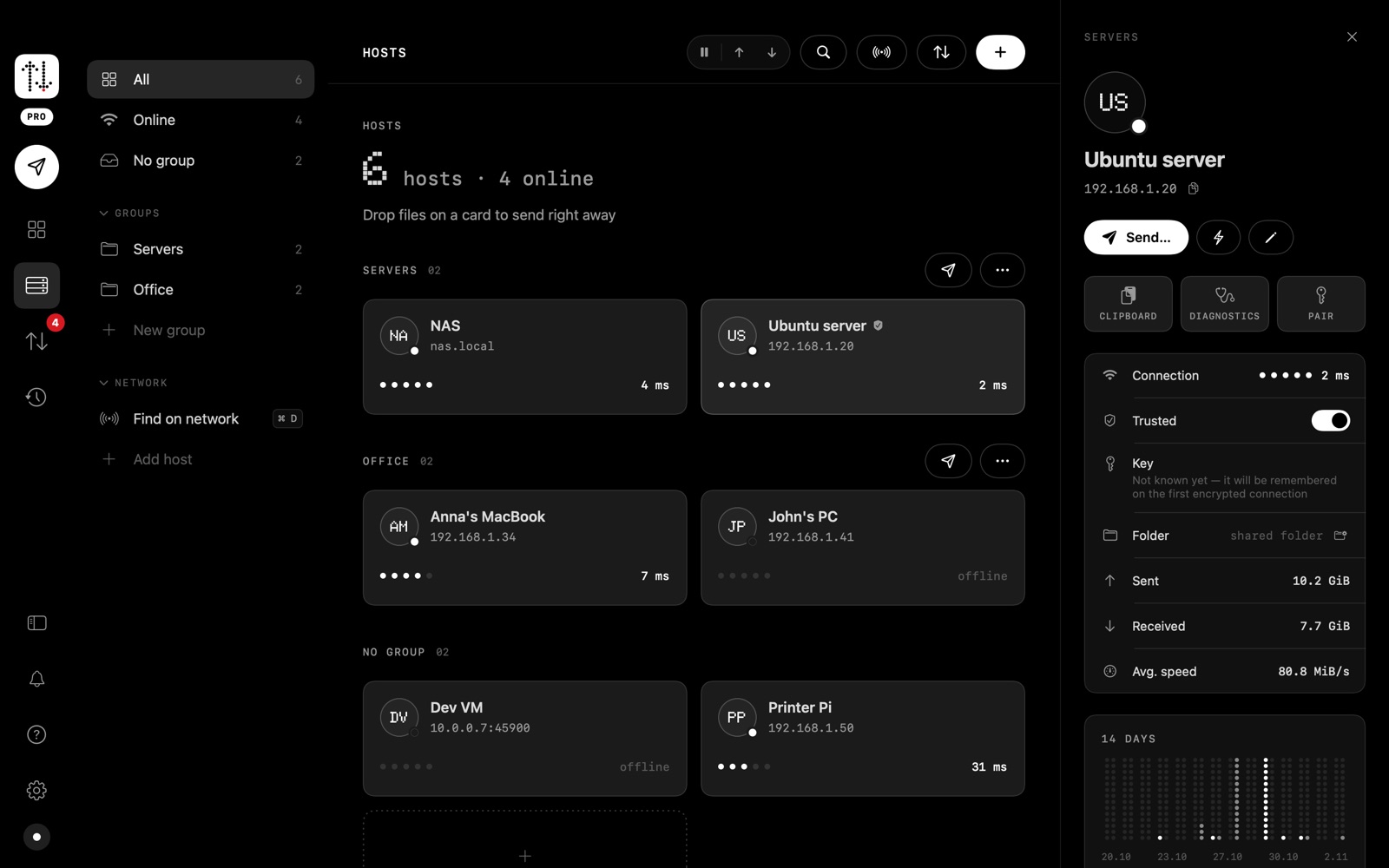
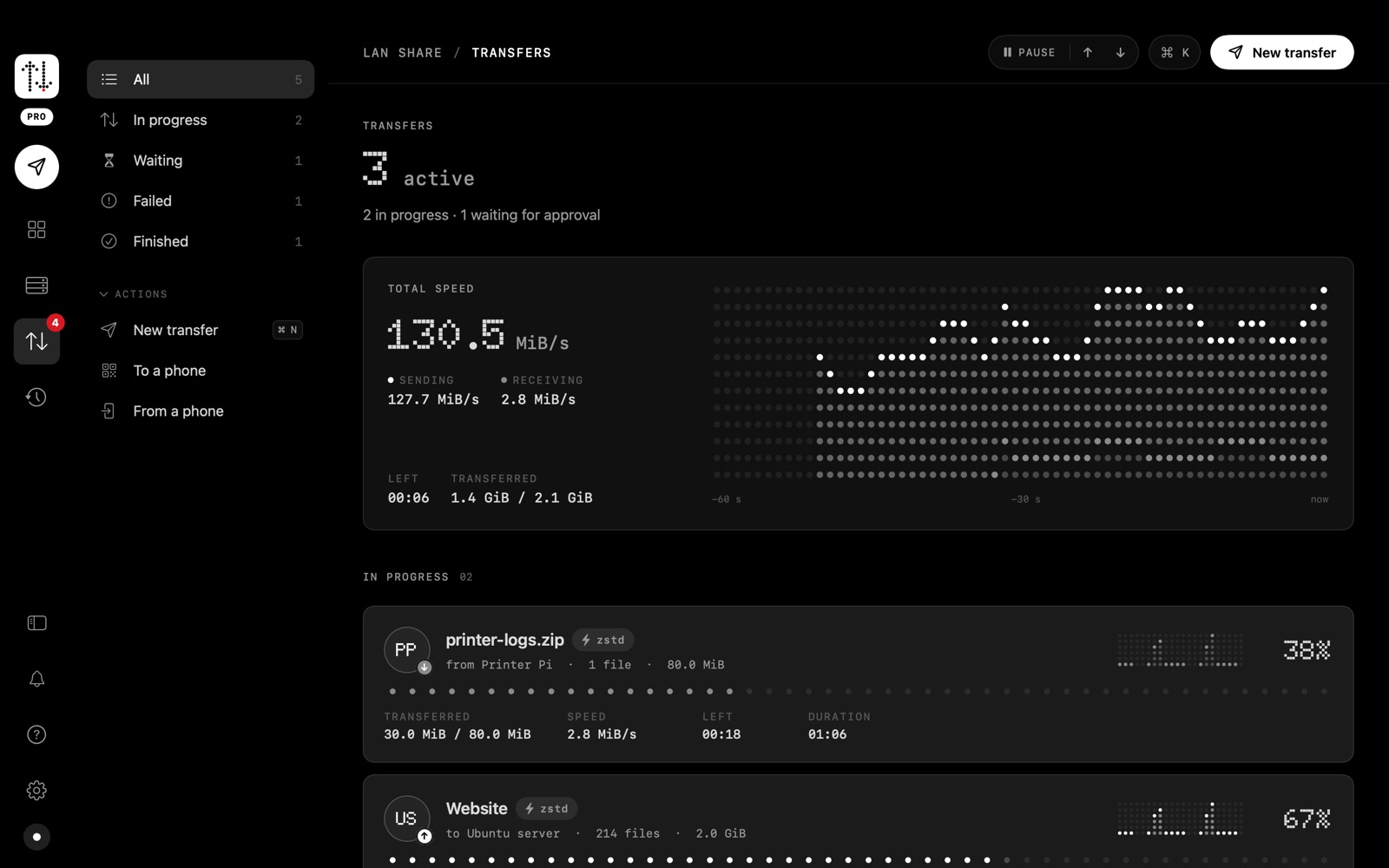
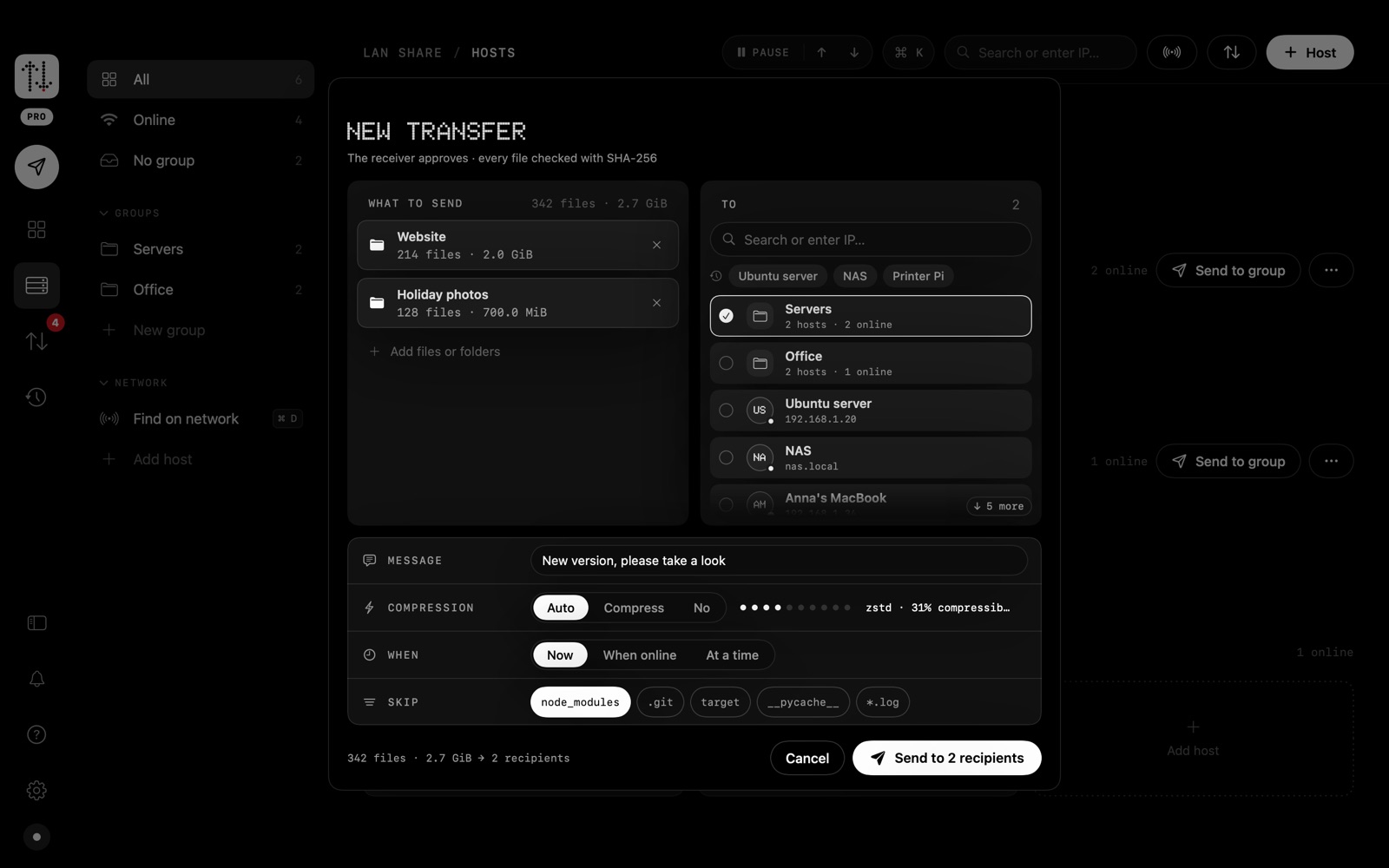
Scroll sideways →
Transfers go directly from one computer to the other. Sending and receiving are free; Pro adds automation and scale.
Drag onto the window or the menu bar / tray icon, right-click in Finder, Explorer or Files, or pick them in the app. Folders keep their structure. A short text or the clipboard works too.
The receiver sees who is sending what, with an optional message, and accepts or declines. Nothing is written to disk before that. Trusted computers can be accepted automatically.
Every connection is encrypted with the Noise protocol (X25519, ChaCha20-Poly1305), on by default. Each computer has its own key, so a trusted computer can't be impersonated. Every file passes a SHA-256 check before it is put in place.
If the connection drops, the same transfer later continues where it stopped, so a large folder doesn't start over.
Streamed zstd: compressed on the fly, decompressed on arrival, with no zip file and no extra disk space. Auto skips data that is already compressed, like photos and video.
Other computers running LAN Share are found on the network automatically, or you add one by name or IP address. A quick diagnostic tells you which step fails.
Show a QR code and any phone or tablet with a browser on the same Wi-Fi can download your files or upload photos. The link has a secret code and expires after 15 minutes.
Keep a folder in step with another computer: only what changed is sent. Nothing is deleted on the other side, and replaced files are kept as versions for 30 days.
Send when a computer comes online, or at a set time. The queue survives a restart.
Sort computers into groups like “Office” or “Servers” and send to the whole group at once.
Lives in the macOS menu bar or the Windows and Linux tray: status, running transfers, and hosts you can drop files on. Notifications let you accept right there.
What was sent and received, with totals and a resend button. The last 7 days are free; Pro keeps the full history, adds CSV export and a year calendar.
The same features on macOS, Windows and Linux; see Platforms for what each desktop adds.
The same LAN Share on each system, speaking the same encrypted protocol, so a Mac, a Windows PC and a Linux box can send to each other. Each version fits in with its desktop.
lanshare command and the full MCP server.lanshare command and MCP server are included.lanshare command and the MCP server, also for headless servers.LAN Share runs on both computers; a phone or tablet only needs its browser and a QR code.
LAN Share includes a Model Context Protocol (MCP) server, so an AI assistant such as Claude can list your computers, check them and send files. The person on the other side still accepts every transfer.
$ claude mcp add --scope user lanshare -- ~/.local/bin/lanshare mcp
send, send_to_group, send_text, list_hosts, check_host, discover, history and stats.lanshare command for Terminal and the full MCP server. Other MCP clients: command lanshare, arguments ["mcp"].Prefer the command line without the app? Download the lanshare command-line tool.
All three are good at moving files nearby. They make different trade-offs.
| LAN Share | AirDrop | LocalSend | |
|---|---|---|---|
| Platforms | macOS, Windows, Linux. Phones through the browser | Apple devices | Windows, macOS, Linux, Android, iOS |
| How devices connect | Same local network (or a VPN) | Direct Wi-Fi and Bluetooth between nearby devices | Same local network |
| Encrypted in transit | Yes (Noise, ChaCha20-Poly1305) | Yes | Yes (HTTPS) |
| Receiver accepts first | Yes; trusted senders optional | Yes; own devices may auto-accept | Yes; auto-accept optional |
| Folders with structure | Yes | Varies by device | Yes |
| Resume after a dropped connection | Yes | Not documented | Not documented |
| Per-file hash check | SHA-256, every file | Not documented | Not documented |
| Folder sync, queue, groups | Yes (Pro) | No | Not built in |
| Command line and MCP for AI assistants | Yes | No | Not built in |
| Price | Free; Pro €9.99 once | Included with Apple devices | Free, open source |
Based on public information as of November 2026; the other products may change. “Not documented” means we could not confirm it either way. AirDrop is a trademark of Apple Inc. LocalSend is an independent open-source project. LAN Share is not affiliated with either.
No subscription. Everything about security and reliability stays free; Pro adds automation and scale.
“Buy Pro” gives you a licence key; payment is handled by Lemon Squeezy. If Pro ends, nothing is deleted: sync pairs and queued sends wait, and older history is kept.
Transfers go directly from one computer to the other, encrypted end to end. Settings and history stay on your computer.
LAN Share has no servers. Nothing goes through the internet or a cloud.
No analytics, no tracking, no ads. No account to create.
Only computers on your local network can be found and sent to.
Details: privacy policy.
Yes. LAN Share has to run on both computers (macOS, Windows or Linux, in any combination). To share with a phone or tablet you only need its browser and the QR code.
No. Both computers must be on the same local network, or connected by a VPN that lets them reach each other. Guest Wi-Fi networks often keep devices apart, so use the main network.
No. Large transfers stream to disk and continue where they stopped if the connection drops.
Yes, between computers running LAN Share: every connection uses the Noise protocol (X25519, ChaCha20-Poly1305), on by default. Each computer has its own key; trusted computers and PIN pairing are tied to that key, and if a known computer's key changes, LAN Share warns you instead of accepting automatically. Files are also checked with SHA-256. Sharing with a phone uses a private link on your local network that expires after 15 minutes.
No. Pro is a one-time purchase of €9.99. The free version has no time limit, so you can try everything else before buying.
Sending and receiving keep working. Pro features pause, but nothing is deleted: sync pairs, queued sends and groups stay, and buying Pro resumes them.
The firewall must allow TCP and UDP port 45821, and both computers must be on the same network. You can always add a computer by its IP address. More on the support page.
Yes, for Windows 10 and 11. It is in final testing; the download appears on this page as soon as it is ready.